Love Coupons Australia
Abrosoft discount codes and coupon codes

Abrosoft Coupon Codes

4.1 (188 ratings)
4 active offers

Latest Abrosoft promo codes, coupons and deals for Australia in July 2026

Purchase FantaMorph Standard for just $29.95 and effortlessly craft impressive morphing animations using intuitive tools from Abrosoft.

Terms and conditions

  • For personal use.
  • Subject to availability.
  • Terms and conditions may apply.

Design impressive morphing animations with Abrosoft FantaMorph Professional for only $59.95.

Terms and conditions

  • For personal use.
  • Subject to availability.
  • Terms and conditions may apply.

Craft impressive morphing animations with Abrosoft FantaMorph Deluxe, now priced at just A$99.95.

Terms and conditions

  • For personal use.
  • Subject to availability.
  • Terms and conditions may apply.

Never miss cashback. Our free Chrome extension alerts you automatically at every partner store.

Add to Chrome – It's Free

Sign Up To The Newsletter For Special Offers and Promotions at Abrosoft.

Terms and conditions

  • For full Terms & Conditions kindly visit Abrosoft's website.

How do I use my Abrosoft discount code?

  • Copy a code from Love Coupons and follow the link to the Abrosoft website
  • Here you can begin shopping and add any products you want to your bag
  • Once you’re finished you can checkout
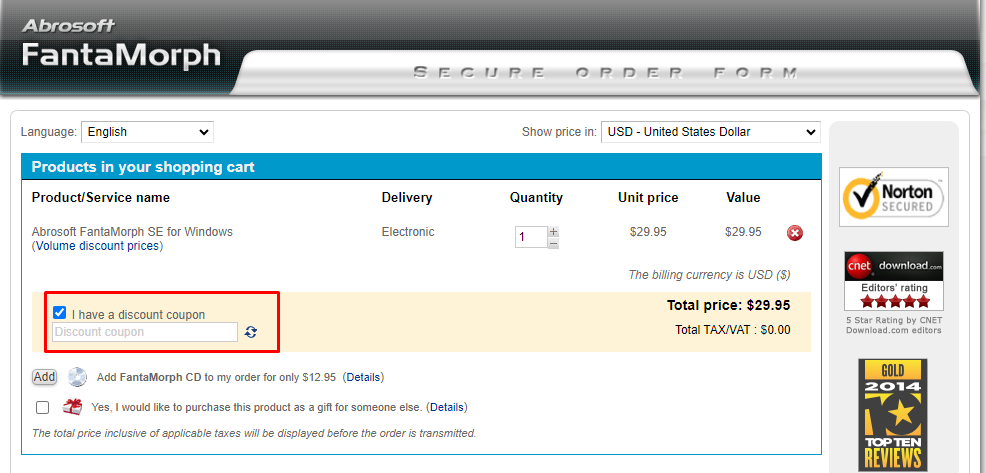
  • You’ll then be taken to the shopping bag page where you can paste your code to apply the discount
  • Add your Promo/Voucher/Discount Code to the box labeled "Discount Code" and click ‘Apply’
  • You can then ‘checkout’ and continue with the payment process
How do I use my Abrosoft discount code?

Abrosoft Money-Saving Hints & Tips

Here are some great tips & tricks for extra savings at Abrosoft:

  • Always visit and check Love Coupons for the latest money-saving discount codes and deals at Abrosoft before you finish your purchase
  • Join the Abrosoft newsletter to get the best offers, money-saving promotions, and exclusive deals sent straight to your inbox
  • Be sure to check out the sale offers and discount section on the Abrosoft website for the latest promotions and discount offers
  • Follow Abrosoft on social media to stay updated with their new arrivals and offers.
  • Sign up to Love Coupons newsletter for our latest weekly offers for brands like Abrosoft and many more.

Abrosoft FAQs

Can I add dots to both images individually or just to one image at a time?

If the Auto Add Corresponding Dot option is toggled on, every dot you add to one image will automatically result in a corresponding partner dot on the opposite image. If the Auto Add Corresponding Dot option is toggled off, you can add dots to both images individually. You may add paired dots and unpaired dots in one project, but only paired dots will be able to affect the morph.

What do I do with my completed morphs?

Use your morph images or morph movies to grab people's attention or to have a good time - create web graphics and enhance your website, email morphs to friends and family to make them laugh, burn on morphs to VCD for enjoying on TV, create a unique online greeting, post your morphs on the Internet, add more life to your presentations. If you are a professional user, use your morphs in music videos, advertisements, teleplay, movies, education courseware, and countless other great ways!

Why are my dots all the same color?

As a default, all dots are the same color. But you can turn on the "Color Cycle" switch in the options box, causing 8 basic colors to cycle across the dots. Note that the 9th dot you add will therefore be the same color as the 1st, the 10th the same as the 2nd, and so on. To help distinguish individual dots and correctly locate their partner dot, simply move your cursor over a chosen dot.

Why is the speed slower than in real-time?

Abrosoft uses a rendering engine that makes use of OpenGL hardware acceleration. OpenGL is an industrial graphics standard and is supported by most modern video cards. If your video card supports this feature, morph speed can be very fast, even reaching hundreds of frames per second. But, if your video card is old, the morphing speed may be under 15 frames per second.

Why doesn't my morph look natural?

While morphs can be produced in many different ways, Abrosoft uses what is termed the "key dots method." It is effective, fast, and easy to use, but it also has some limitations. Dot pairs must be in the same logical positions, otherwise, the result may be unconvincing. In this case, carefully adjust dot positions that define the affected areas.

Abrosoft Contact Details

Email support@fantamorph.com

More discount codes like Abrosoft